
A playlist is more than a group of videos. Its title and description explain the theme, sequence, mood, or learning path that connects the videos. Localizing those two fields gives viewers language-specific context without creating a duplicate playlist.
The ReTranslate playlist translator keeps the source playlist and its translated title and description together, then publishes them to YouTube Studio.
1. Connect the channel and choose a playlist
Sign in with the Google account that manages the channel. Choose an accessible playlist from the connected account or enter its YouTube playlist URL. ReTranslate loads only the details needed to identify the playlist and prepare localization: title, description, privacy, video count, and available image.
Confirm Playlist Details
Check the playlist title and description before continuing.

Channel
Neon Marina Radio
Playlist title and description
Midnight Marina Drive
City pop for coastal roads, balcony lights, and quiet nights beside the water.
2. Confirm the source language and text
Check the title and description before translation. Correct names, dates, links, episode ranges, or outdated information once so the same error is not repeated in every language.
- Keep channel, artist, series, and product names consistent.
- Explain the playlist’s theme rather than describing every video.
- Remove expired campaign wording or links.
- Set the correct source language before uploading localizations.
3. Select playlist-supported languages
ReTranslate currently offers 144 playlist language options. Major choices include English, Spanish, Portuguese, German, French, Japanese, Korean, Indonesian, Italian, Dutch, and Turkish.
Start with languages supported by audience locations, search demand, release markets, or the existing language mix in comments. A smaller relevant set is more useful than publishing languages without an audience or quality plan.
Select Playlist Languages
Select languages for your localized playlist title and description.
4. Add context and protect names
Playlist titles are short, so one ambiguous word can change the meaning. Add context that explains whether the collection is a music mix, tutorial sequence, seasonal archive, event series, or another format. Mark names and terminology that should remain unchanged.
5. Translate the title and description together
Generate both fields for all selected languages, or translate an individual title or description. Each result remains editable. Check that the translated title still identifies the collection and that the description does not promise videos or topics the playlist does not contain.
6. Upload and verify in YouTube Studio
Upload the language versions you want to publish. When the upload finishes, select the Check YT Studio banner to open the playlist’s Languages page.
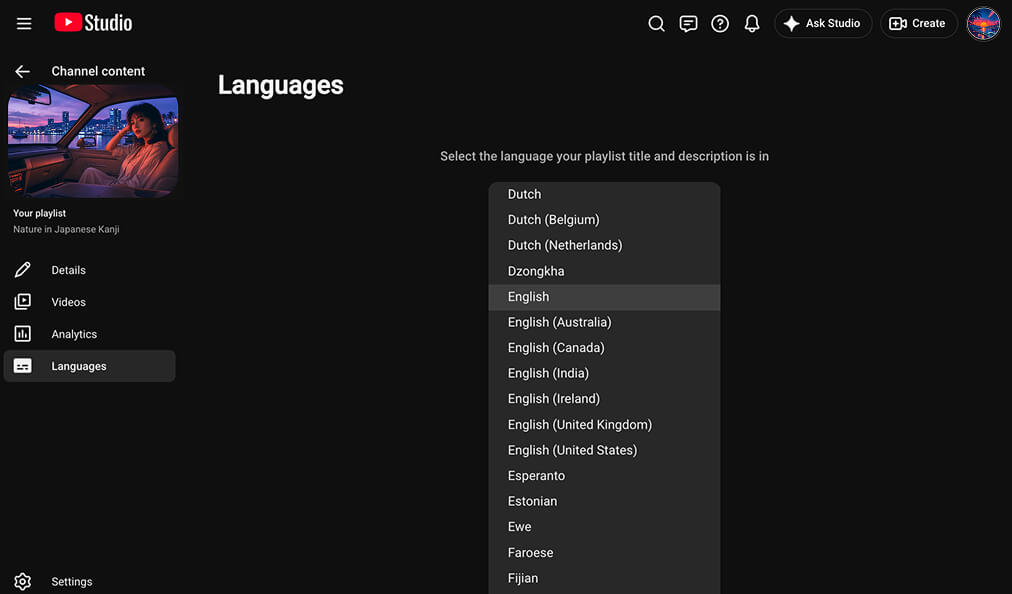
YouTube Studio may first ask you to choose the original language for the playlist title and description. After you set it, the uploaded translations should appear. The current YouTube Studio view may not show a separate list of added language names, so confirm that the localized title and description fields are populated correctly.
Use the video metadata translator and subtitle translator when the videos inside the playlist also need localized information.